The original interface.
The whole installed price.
Start with the roof and system. Review the quantities and pricing. Present a clear customer estimate with installed price and cost per square foot.
From system selection
to reviewed estimate.
Choose the system.
Select the roof system, warranty option and application method, then enter measured area and the required scope quantities.
Review the installed cost.
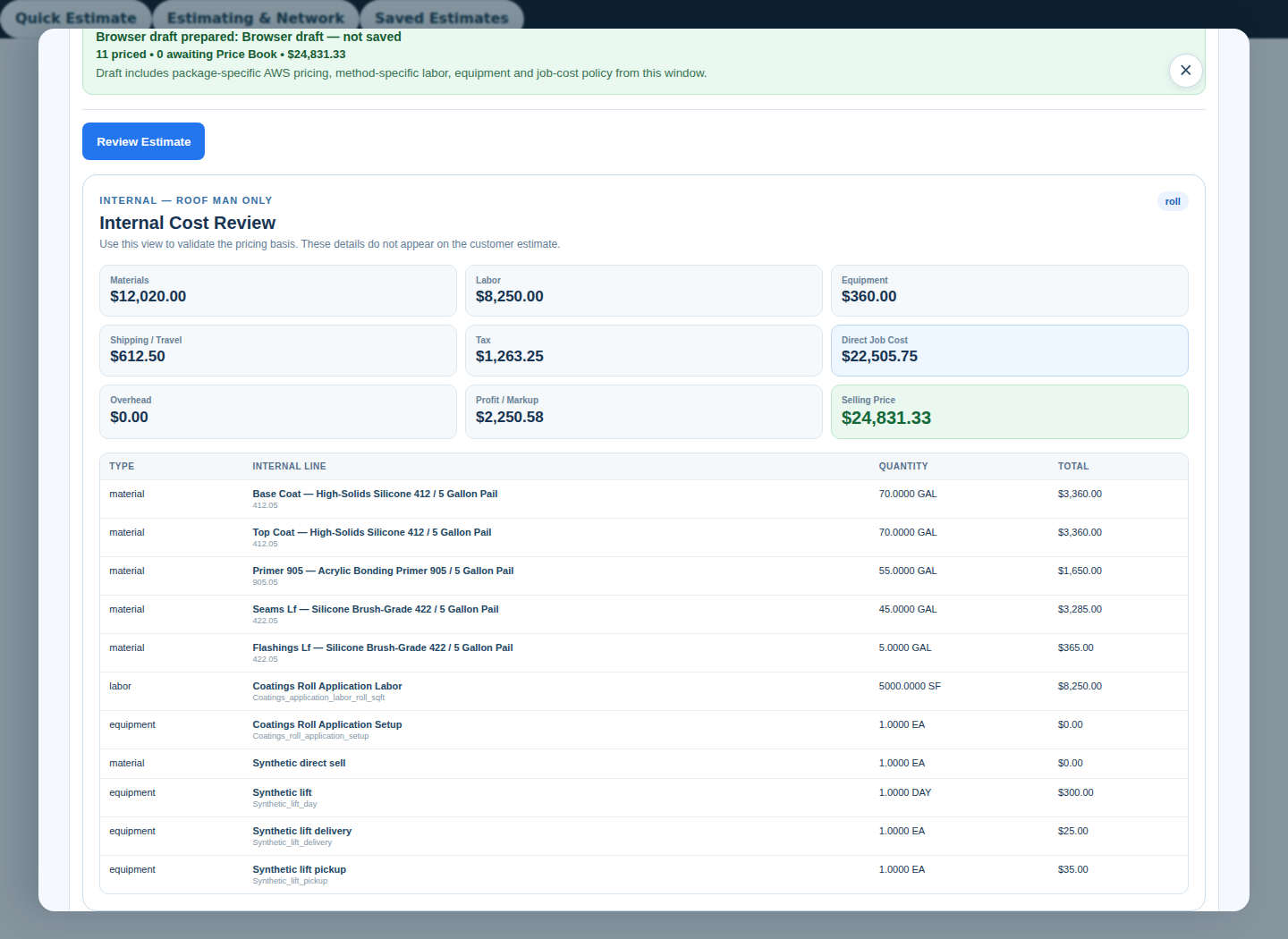
Check material quantities and company-approved pricing, labor, applicable tax and other job costs. A calculated quantity is a preview until reviewed and saved.
Save and present.
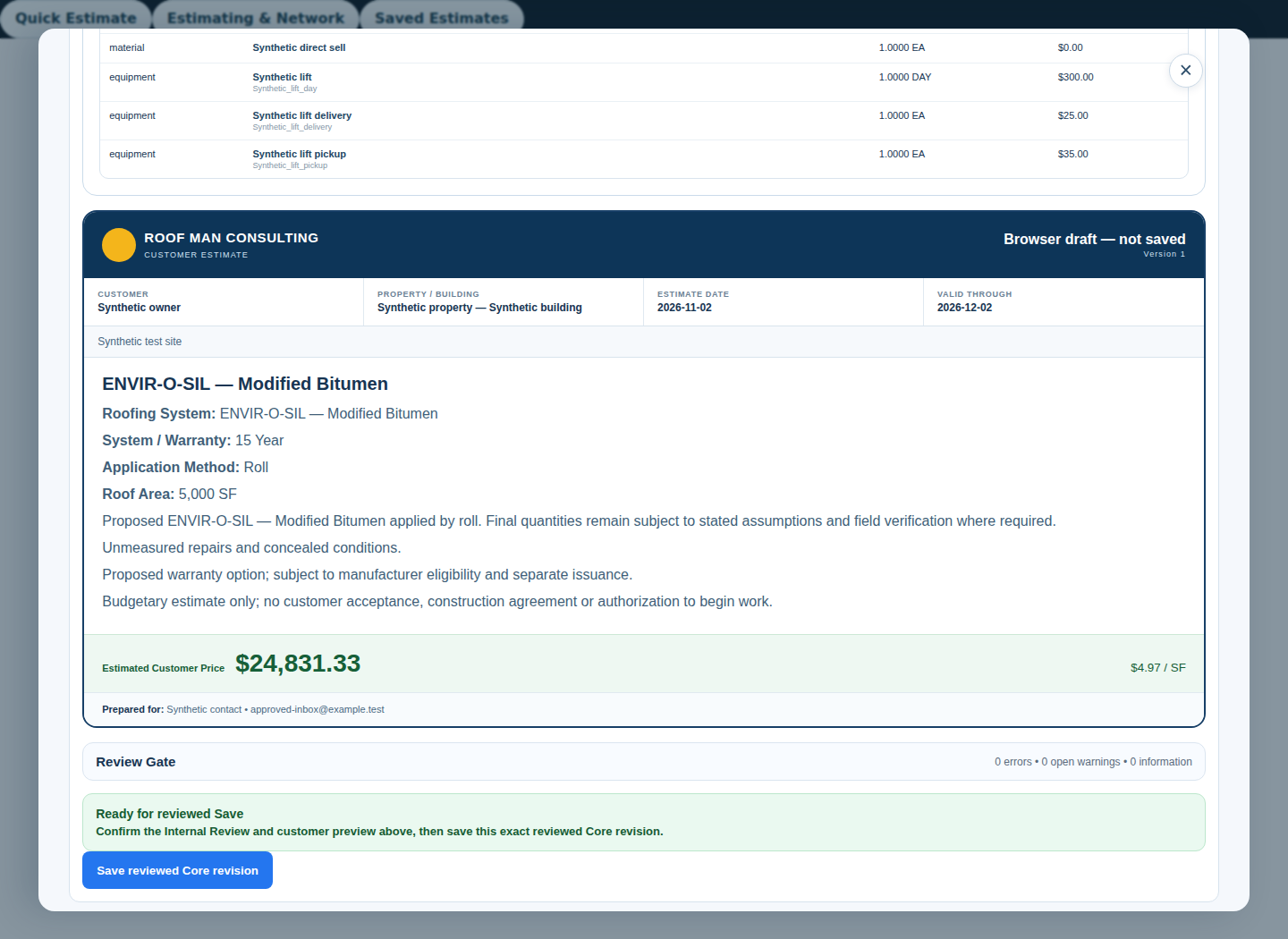
Where enabled, save a reviewed Core revision, reopen it and check the customer document. Internal costs stay separate from the customer-facing estimate.
The standalone Quick Estimate and the saved-roof calculator have different input controls. Follow the interface you are using; do not substitute controls between them.
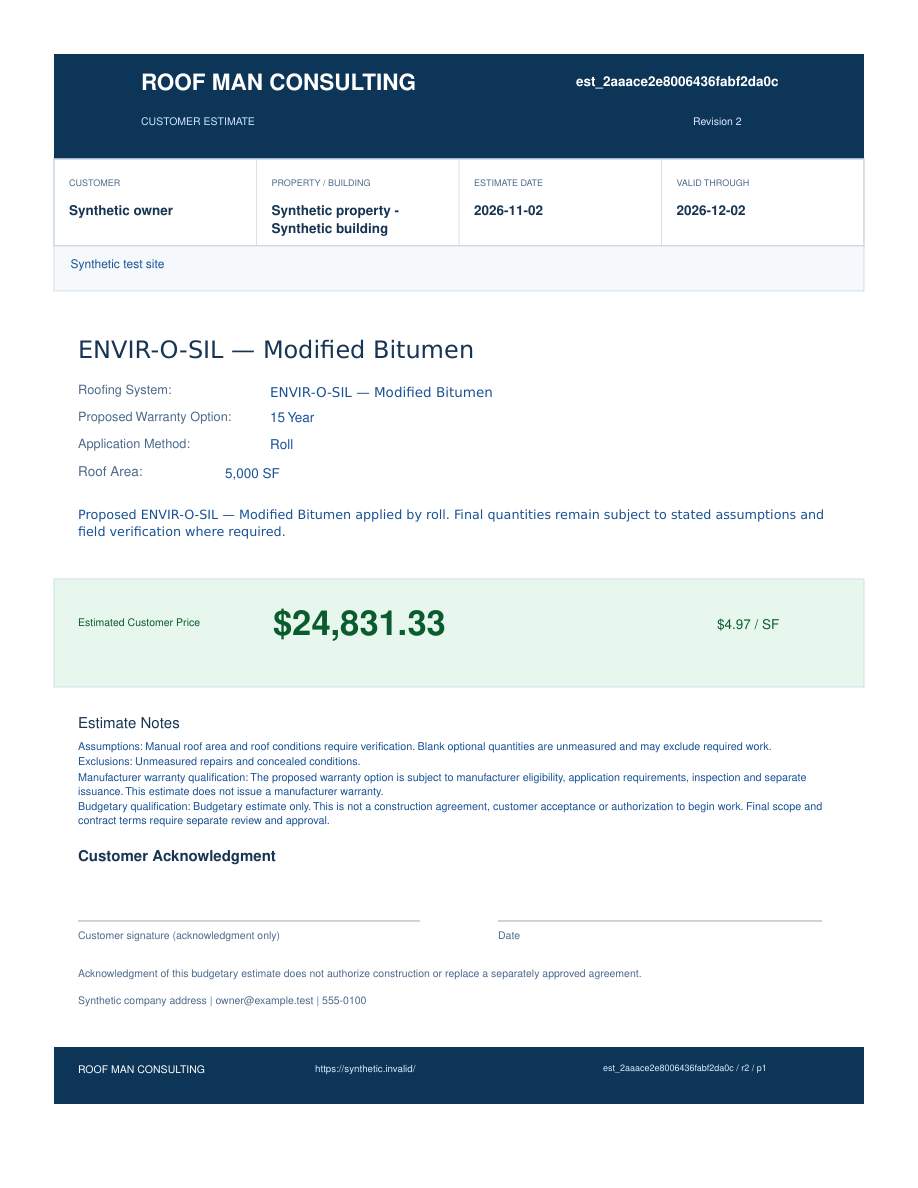
Review before
you share.
The preserved original interface separates internal cost review from the branded customer preview. These captures show a synthetic 5,000 SF demonstration job.
A practical estimating tool.
With clear review steps.
Qualified examples
Controlled workflowOriginal-interface calculation, reviewed pricing, Core revision save/reopen and customer PDF have qualification evidence in the controlled estimator workflow. Access must be confirmed for each pilot company.
Not automatic approval
Selected warranty terms and calculated material quantities do not establish roof eligibility or manufacturer approval. Confirm measurements, substrate, preparation, product instructions and job conditions before issuing an estimate.
Sending & purchasing
Not activated hereCustomer delivery, reminders, live signatures, supplier sending, purchasing and billing are outside this website launch. Requesting pilot access does not activate them.
Bring your first job.
Let’s find your next step.
We’re introducing Roof Man OS to a small group of commercial roofing contractors. Tell us how you work.